🧮🤔 Use the MATCH_USERS_ASSIGNED function
 Updated
We added new keywords to the MATCH_USERS_ASSIGNED function. The first parameter in the function now follows the pattern of ROLE.SCOPE.DEPTH . You can now match users with reference to their place in teams hierarchy.
- Role
EMPLOYEE: Match employee assignmentsMANAGER: Match manager assignmentsMEMBER: Match both employee and manager assignments
- Scope (optional)
ALL(default value) : Match from ALL teams of the user, including sub-teams if there is someSUB: Match all subordinates of the user, including sub-teams.
- Depth (optional)
0(default value) : Infinity, so matching users from as many sub-team levels as there are1: Match from only the current team2: Match from the current team and its child sub-team 1 level below- Any integer above
2: The higher the number the more levels downward in the hierarchy to match for. - If you define a number higher than the number of levels available in the hierarchy, the system will match all available sub-teams.
General principles
- You can only match on the current user’s team and its sub-teams, but not another team parallel to the current user’s team or a parent team. In other words, you can match within the team and downward the hierarchy, but not across the same team level and upward the hierarchy.
- If the current user is an employee:
- you can only match within the current user’s immediate team
- the
SUBscope will not match anything because the user does not manage anyone - the
EMPLOYEErole will include the current user
- If the current user is a manager:
- the
ALLscope onMANAGERincludes the current user, but using theSUBscope onMANAGERwill exclude the current user.
- the
Examples
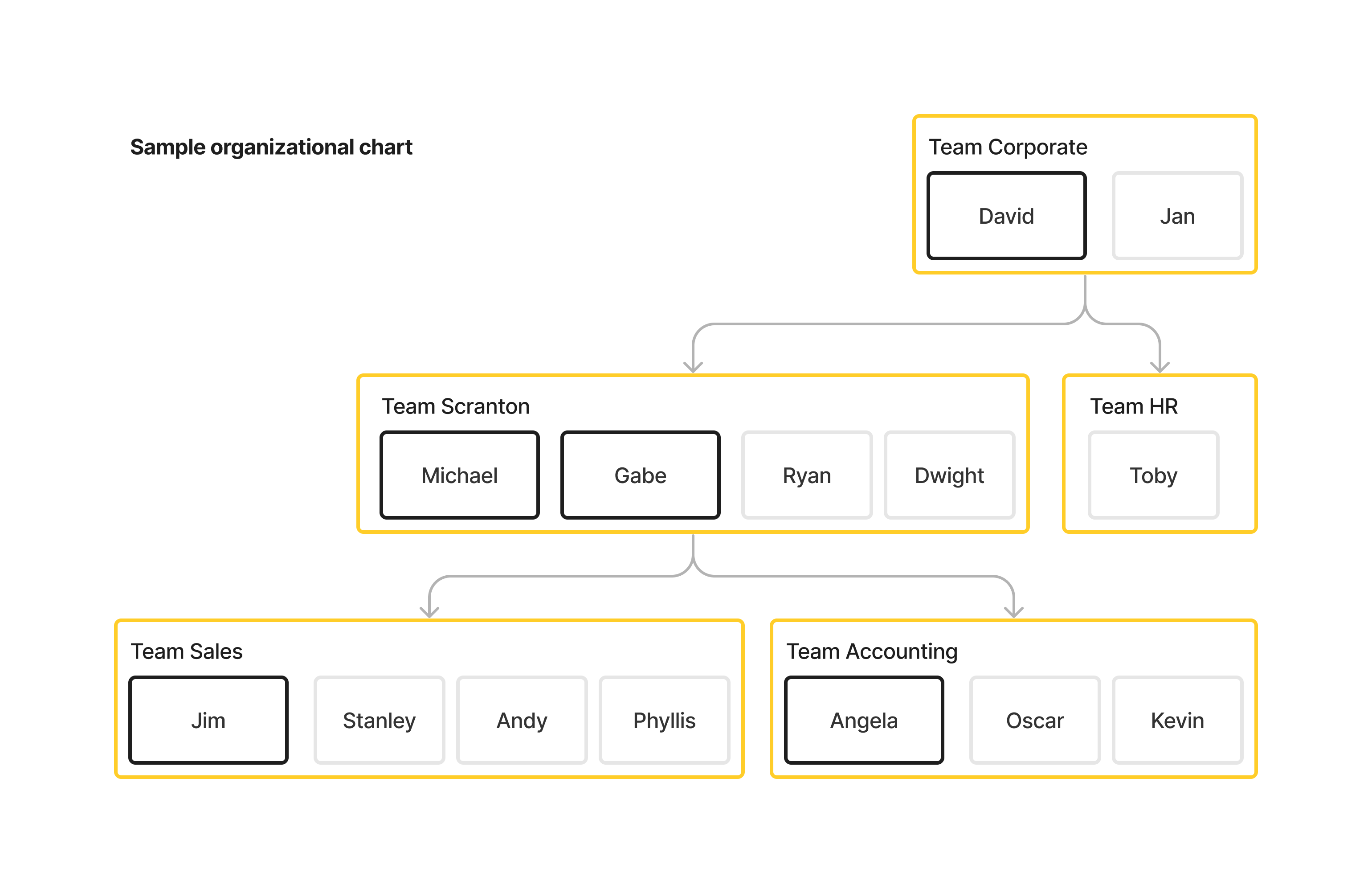
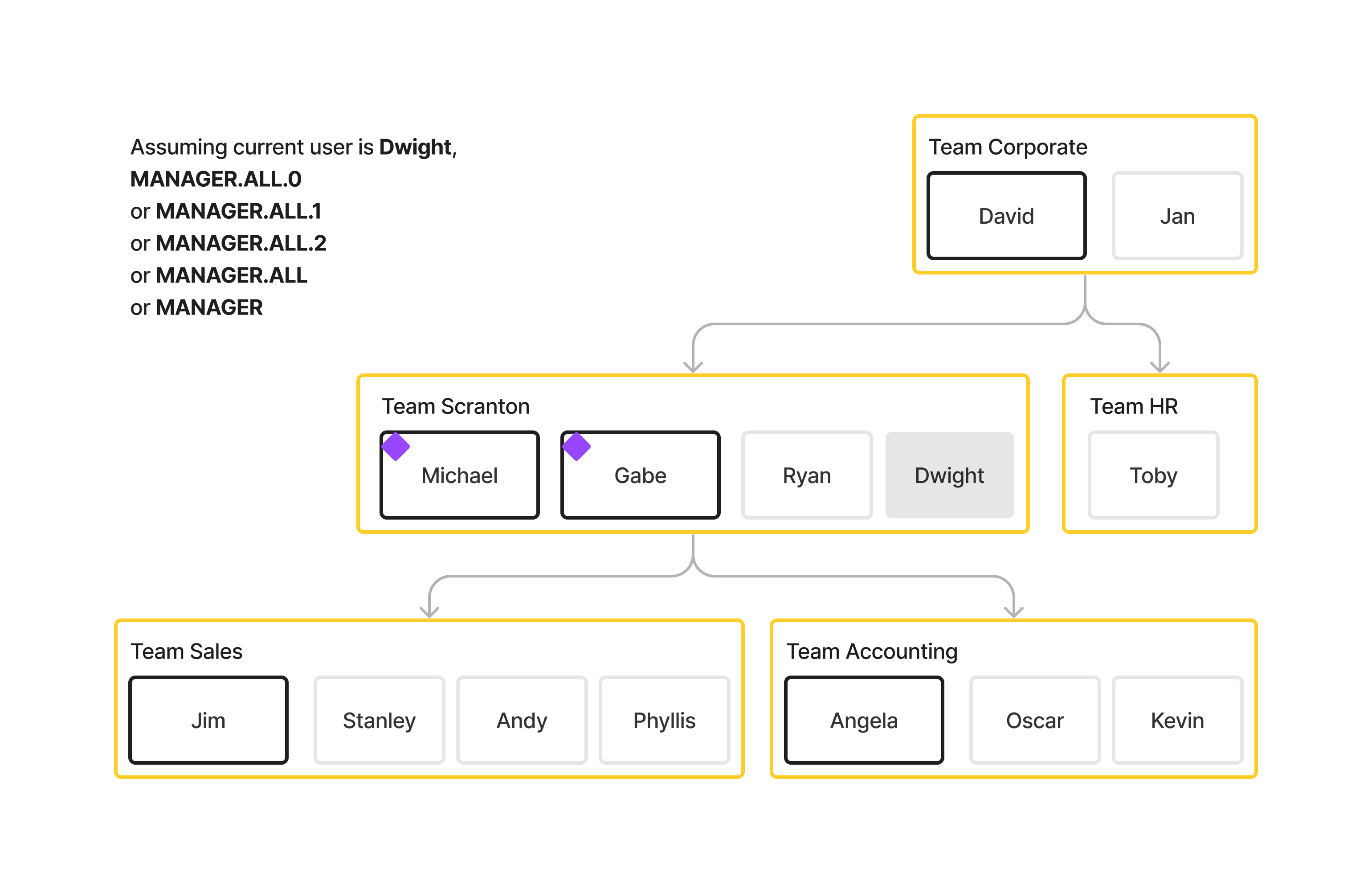
To better illustrate the updated keyword, we can use the simplified organizational chart of a mid-sized, U.S.-based paper company as an example.
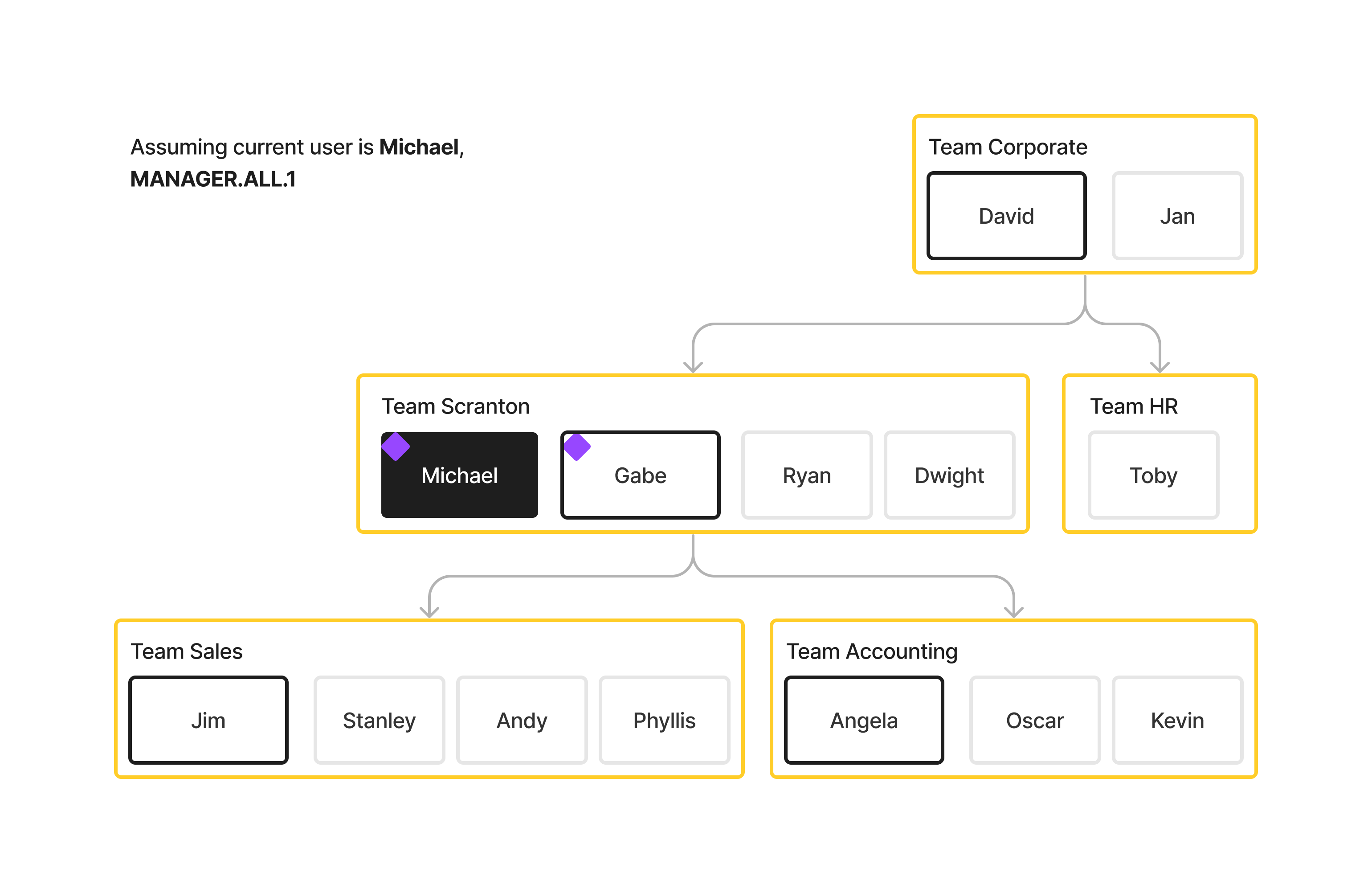
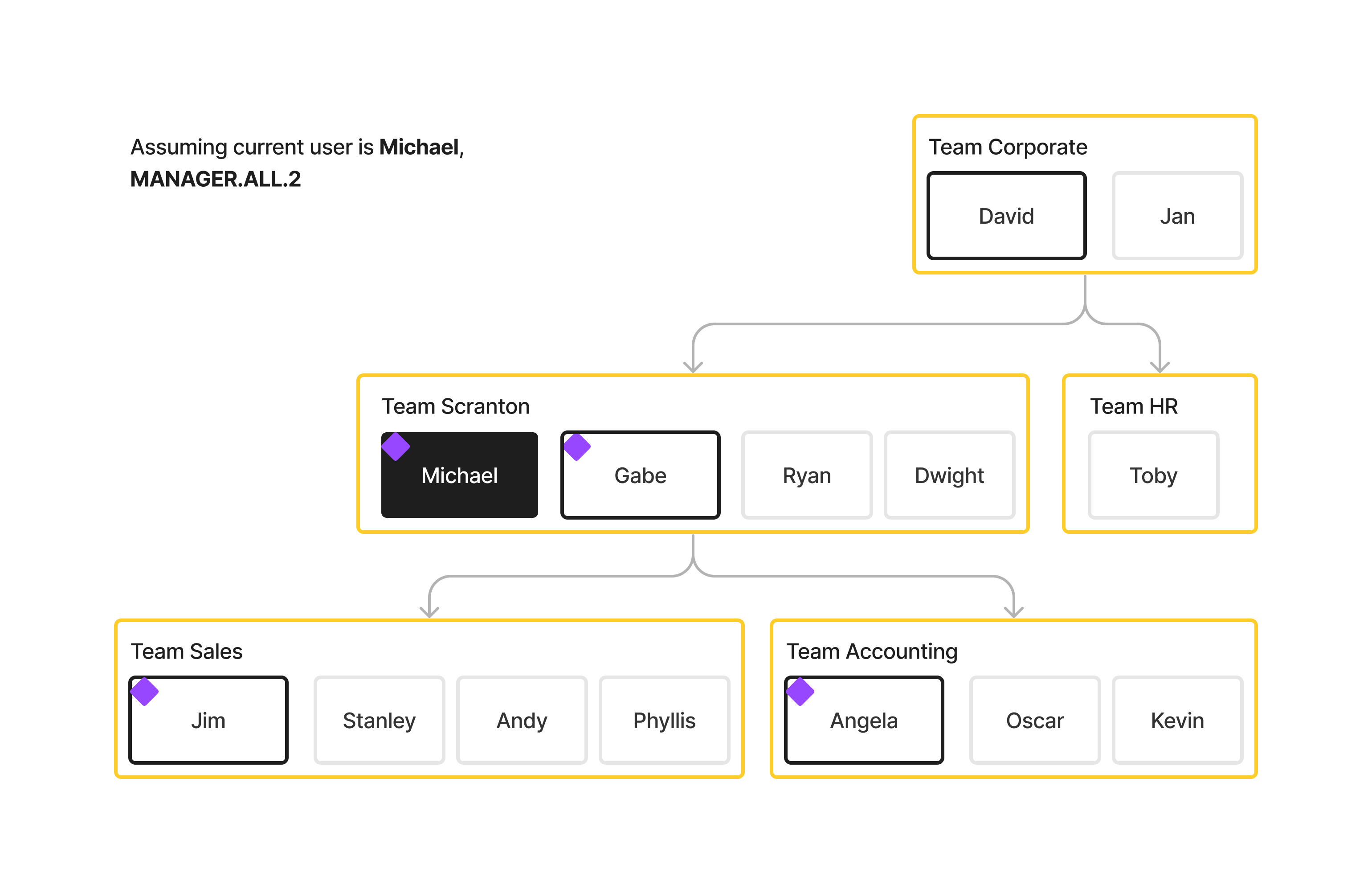
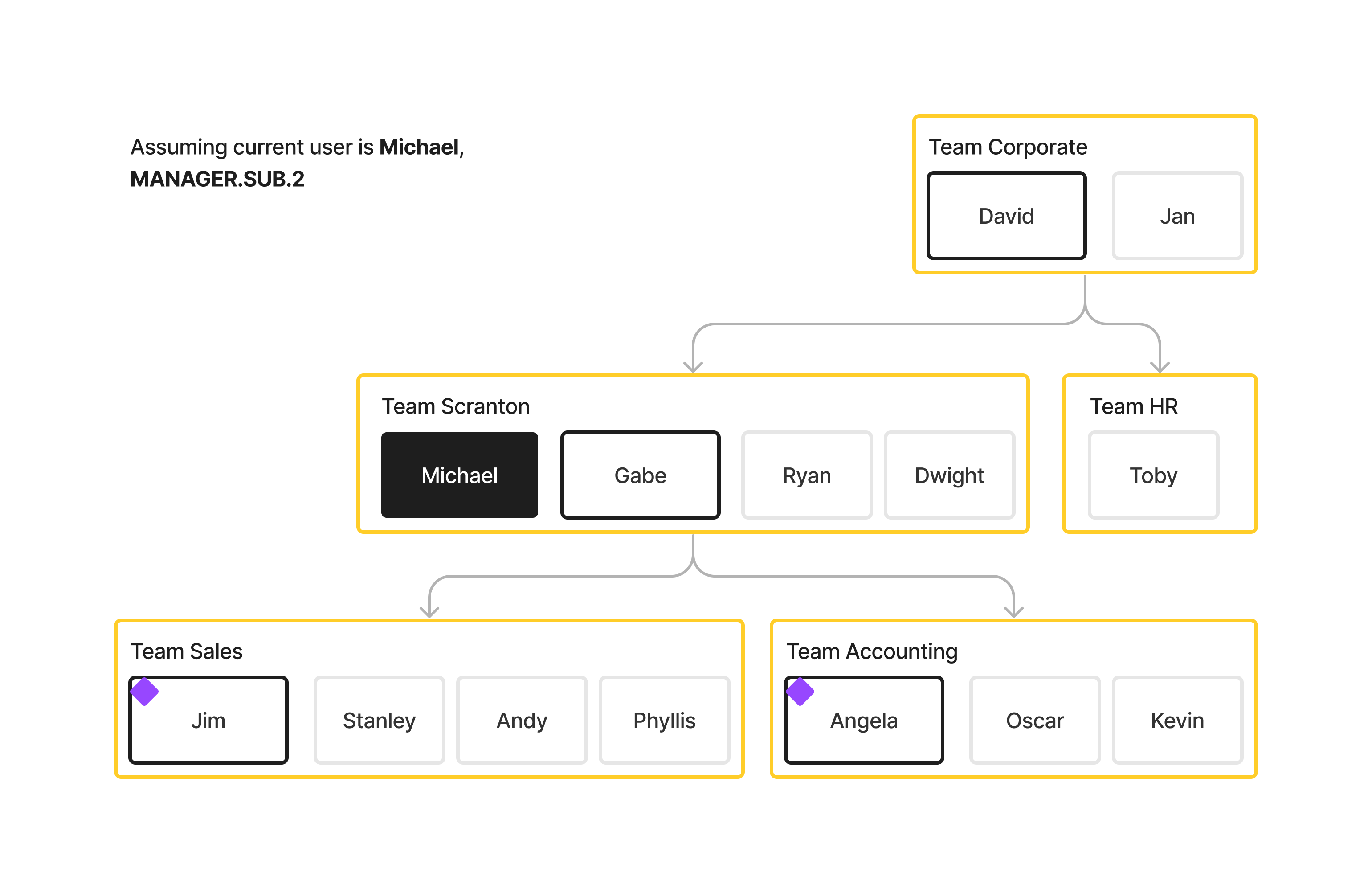
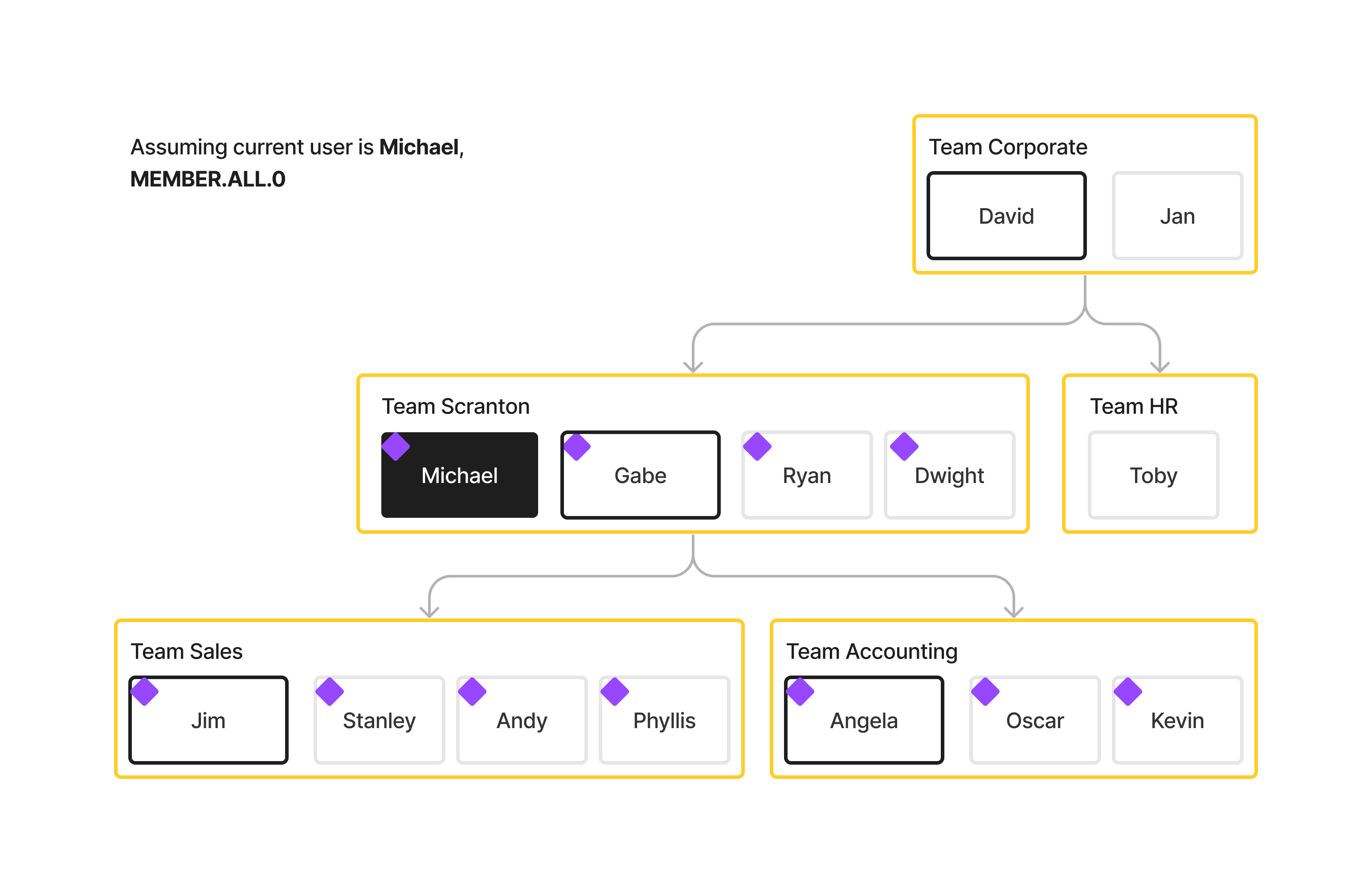
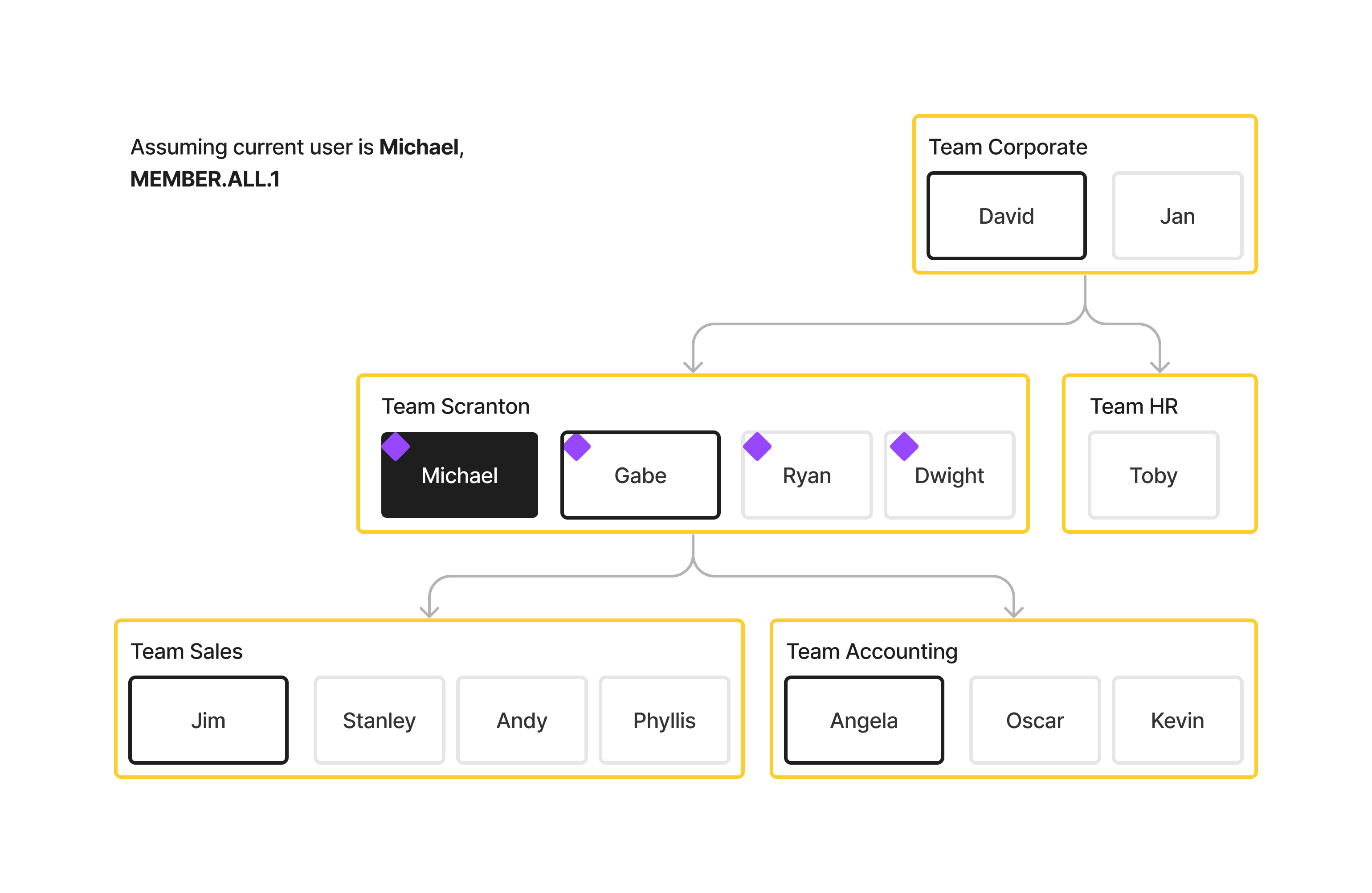
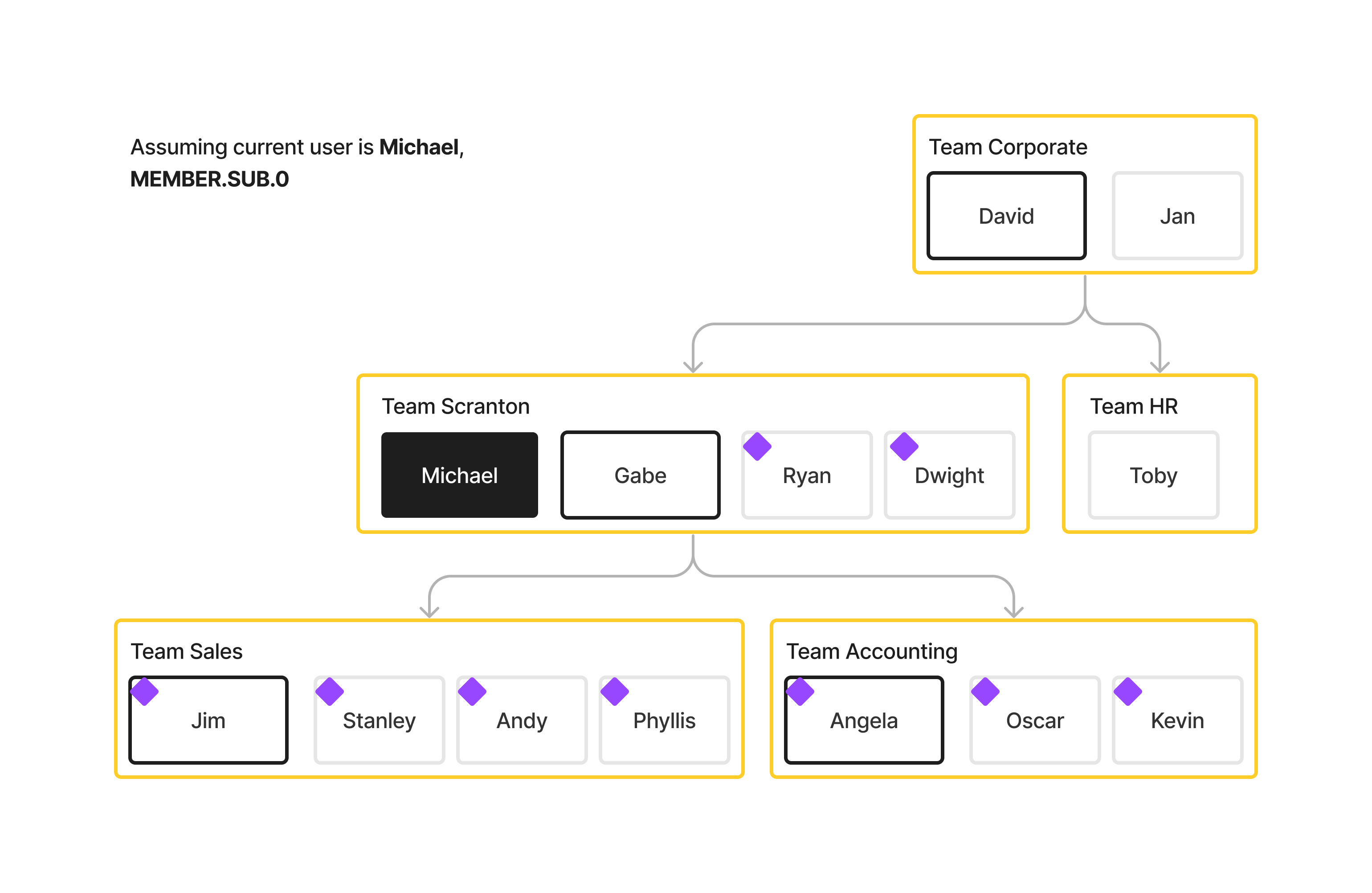
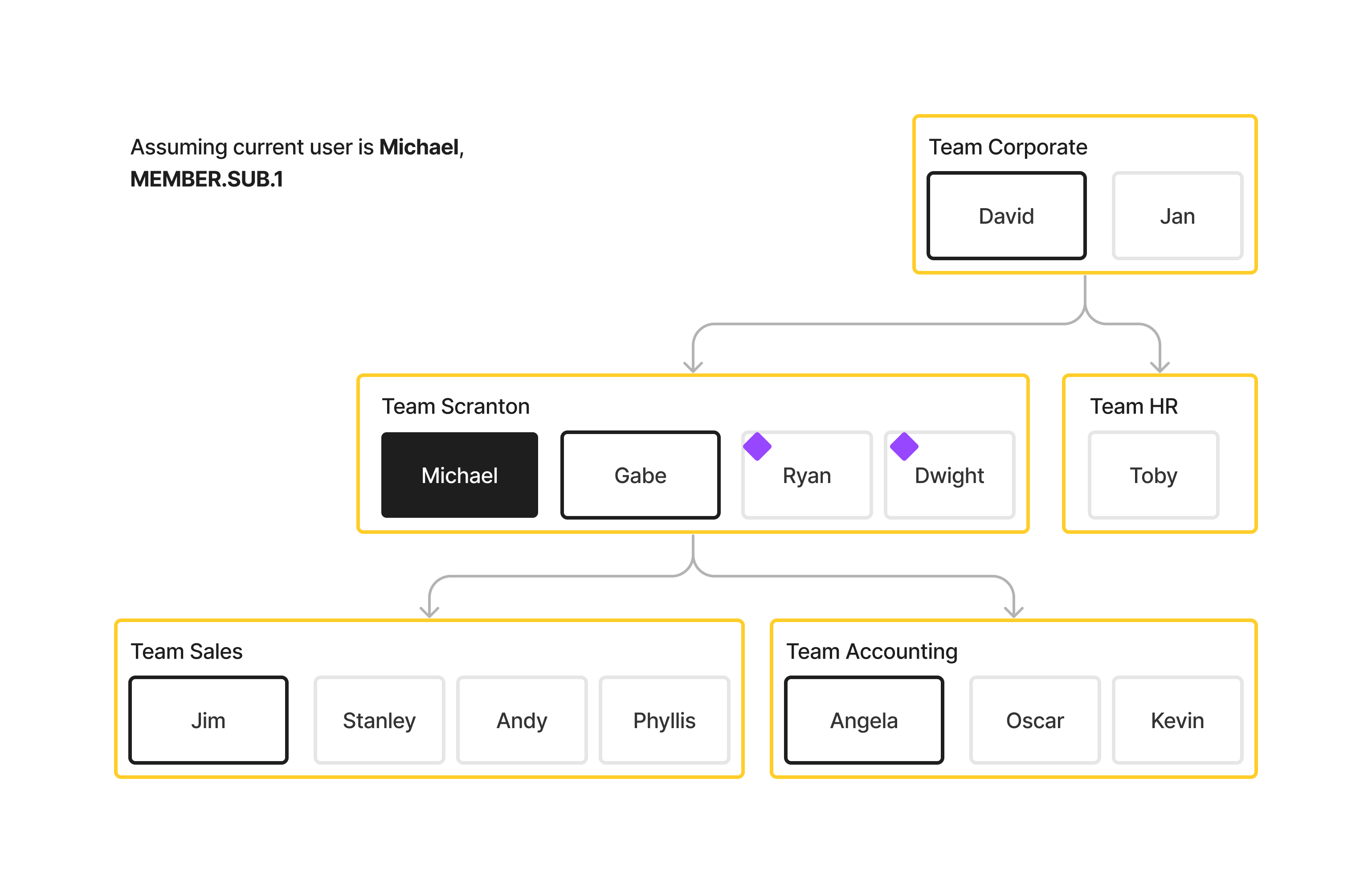
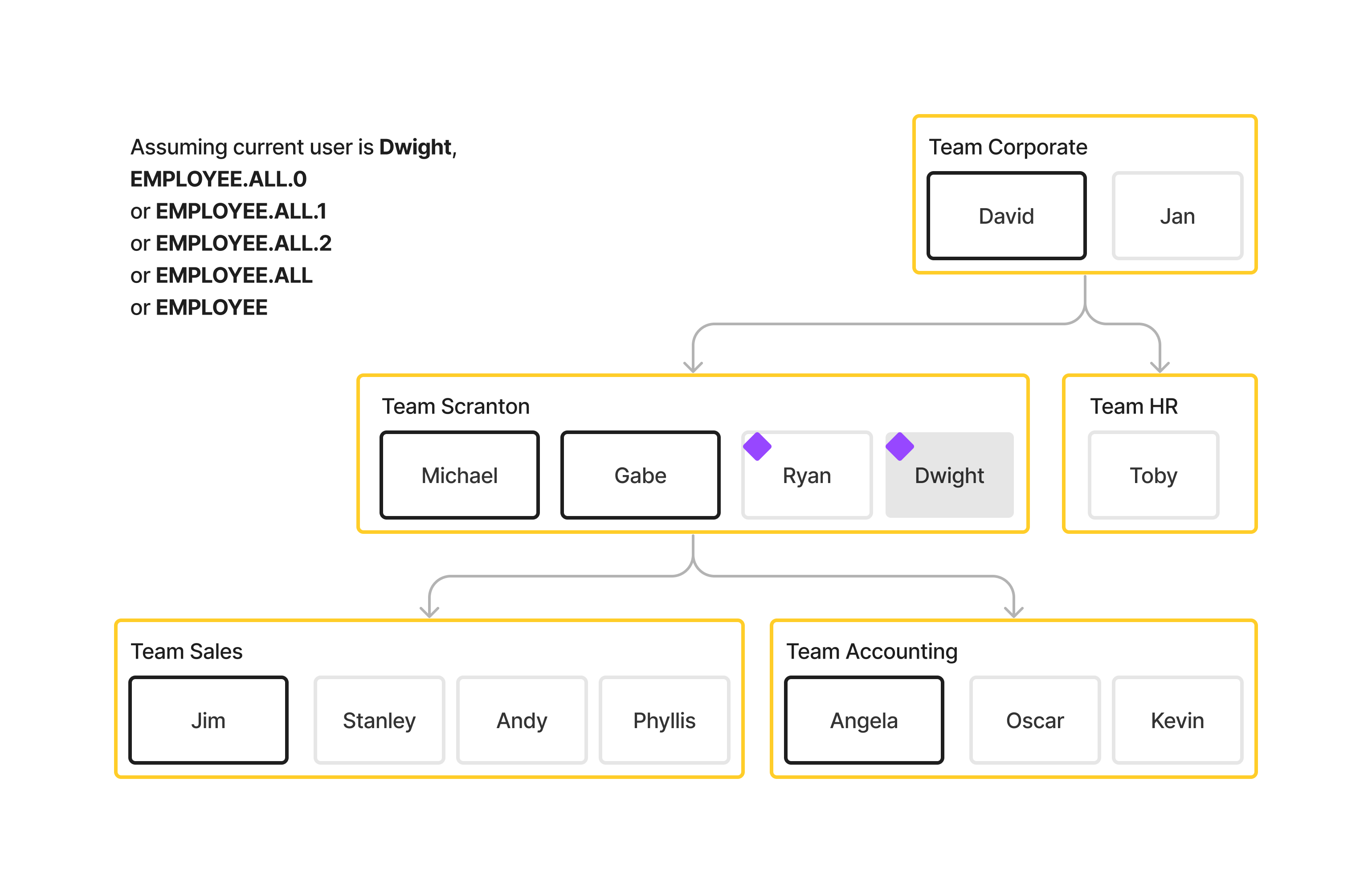
- Names in black boxes represent managers
- Names in grey boxes represent employees
- Yellow boxes represent teams
- Matched users will be marked with a purple diamond
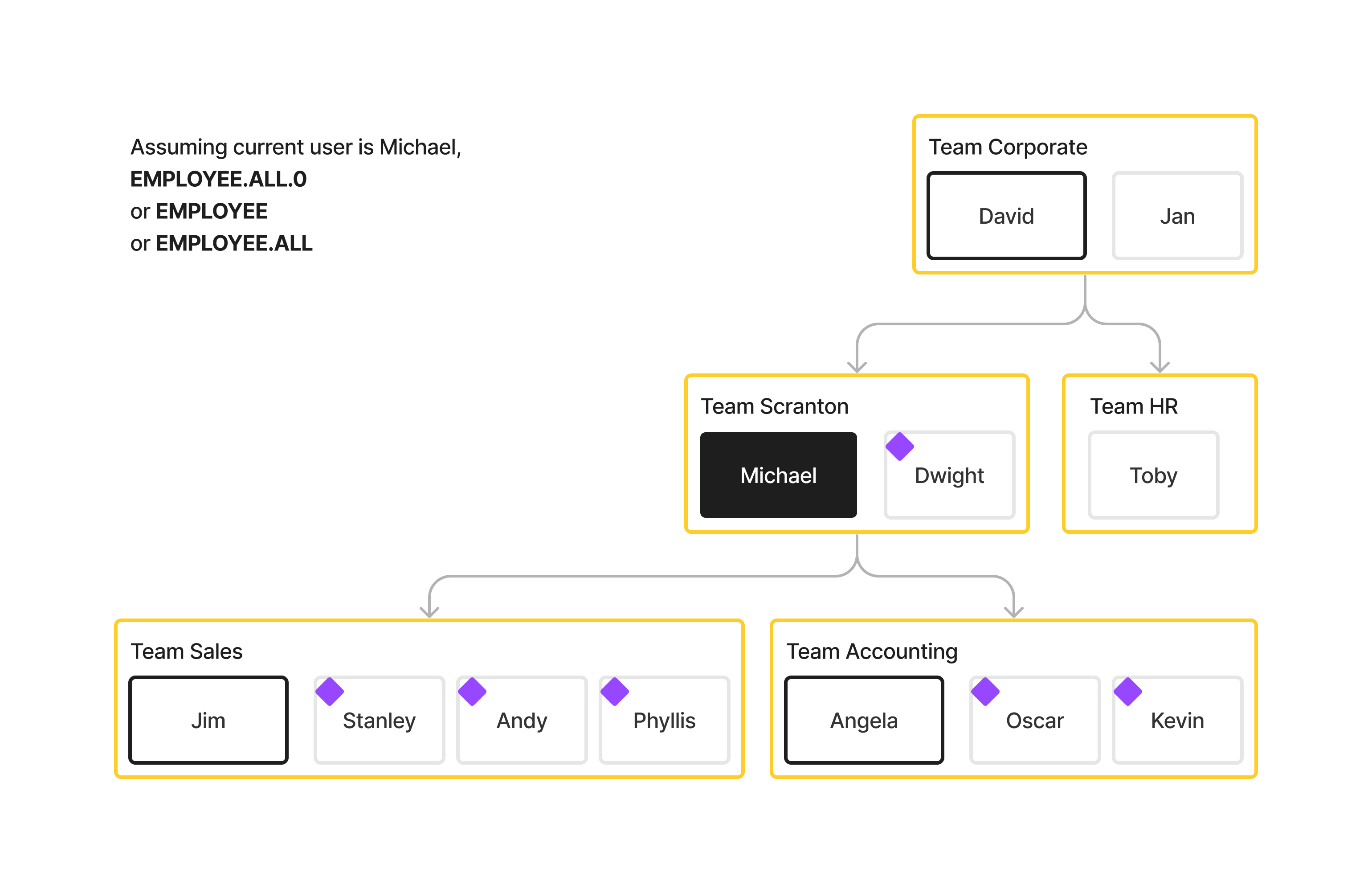
Which users would EMPLOYEE.ALL.0 match if the current user is Michael, manager of team Scranton?
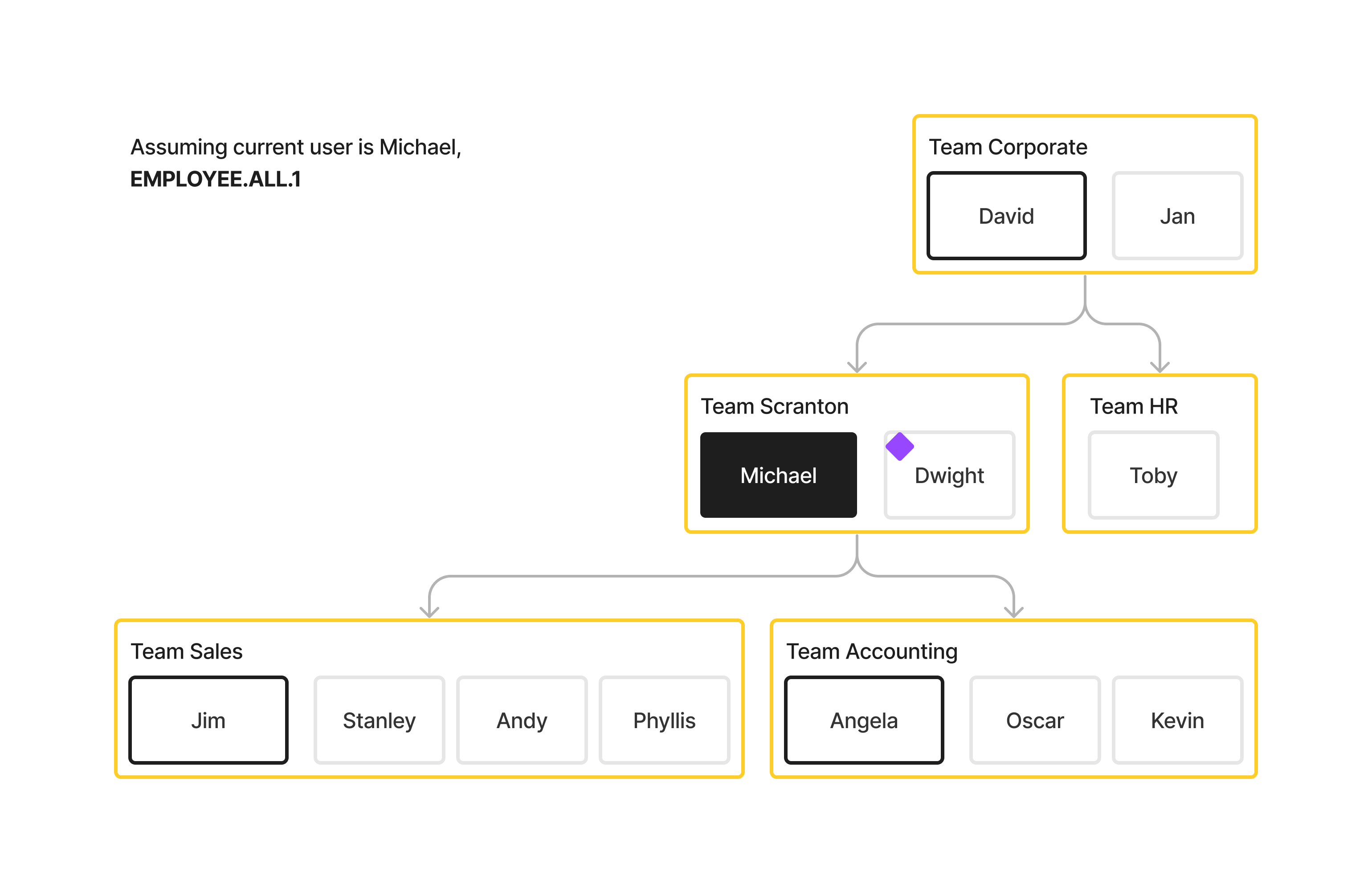
What about EMPLOYEE.ALL.1, assuming Michael is the current user?
Which users would MANAGER.ALL.1 match?
Which users would MANAGER.ALL.2 match?
Here are a few more examples with Michael as the current user:
MANAGER.SUB.2
MEMBER.ALL.0
MEMBER.ALL.1
MEMBER.SUB.0
MEMBER.SUB.1
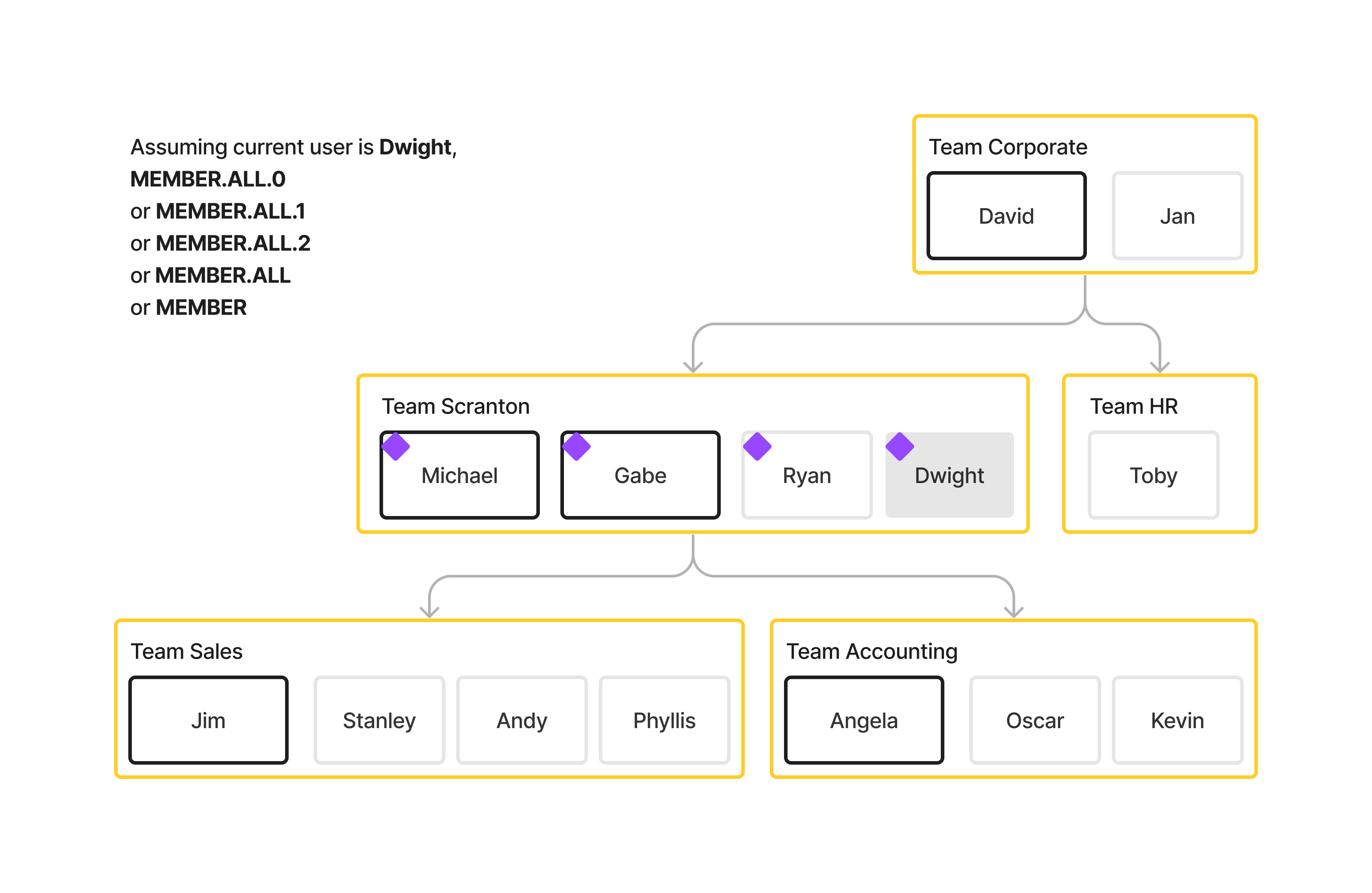
Assuming Dwight, an employee on team Scranton as the current user:
EMPLOYEE.ALL.0
MANAGER.ALL.0
MEMBER.ALL.0